Easy My Access Florida Login 2026: How to Successfully Check SNAP, Medicaid & Cash Assistance
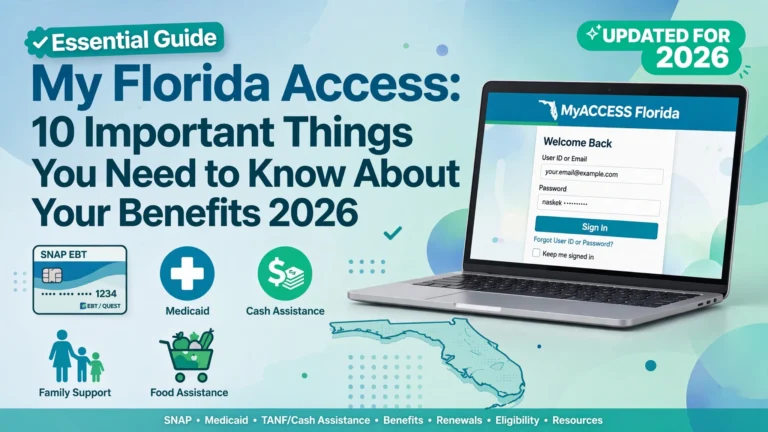
If you receive government benefits in Florida or plan to apply for assistance, knowing how to use My Access Florida login can make managing your benefits much easier. The online system, officially called MyACCESS, helps Florida residents apply for and manage several public assistance programs, including SNAP food assistance, Medicaid, and Temporary Cash Assistance (TCA).
Instead of visiting an office every time you need basic case information, you can use the online portal to check application updates, review available notices, submit requested documents, and manage certain details related to your benefits. The exact options available depend on your case and the program you receive.
In this guide, you will learn how to access the official MyACCESS portal, check your SNAP and cash assistance information, find Medicaid-related updates, recover account access, and solve common login problems.
1. What Is My Access Florida?
MyACCESS is Florida’s online public assistance portal managed by the Florida Department of Children and Families (DCF). It provides a central place where residents can apply for and manage eligible government assistance programs.
According to Florida DCF, the portal supports programs such as SNAP, Medicaid, and Temporary Cash Assistance. It also offers features for checking application status, submitting verification documents, and managing case information. Official Florida DCF information.
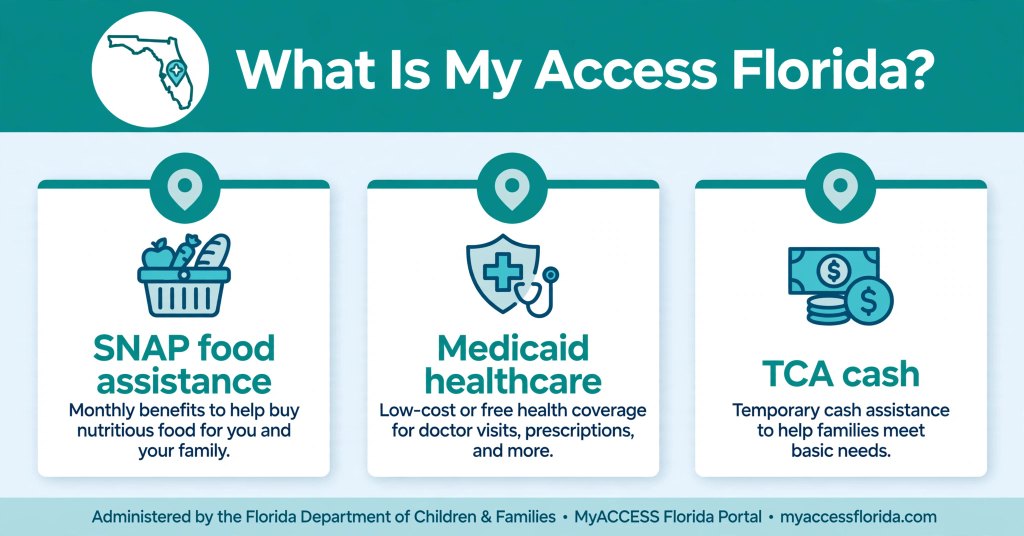
Here is a quick look at the main programs.
SNAP food assistance: The Supplemental Nutrition Assistance Program helps eligible households purchase food. Approved benefits are generally provided through an Electronic Benefits Transfer (EBT) card.
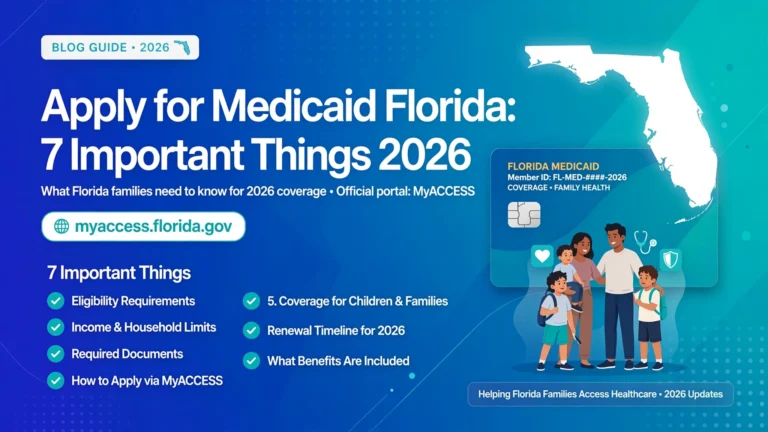
Medicaid: Florida Medicaid helps eligible individuals and families access healthcare coverage under the program’s eligibility rules.
Temporary Cash Assistance: Florida’s TCA program provides financial assistance to eligible families with dependent children and certain pregnant women who meet program requirements.
Each program has its own eligibility rules. Creating an account does not automatically qualify you for benefits, and approval for one program does not guarantee approval for another.
The main purpose of My Access Florida login is to make it easier to access the online services and case information available to you.
2. How to Access the Official My Access Florida Login Page
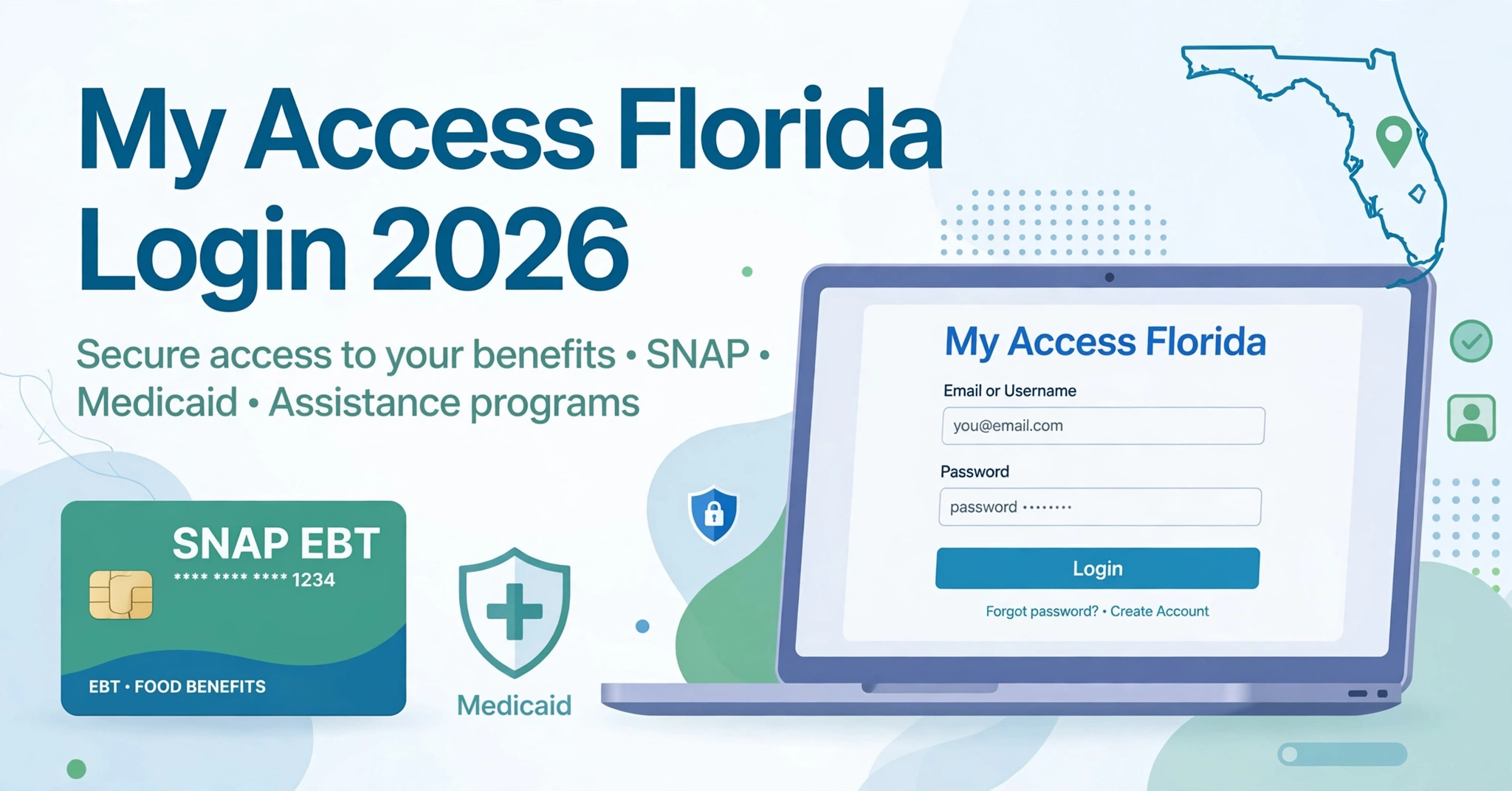
If you want to check your benefits online, begin by visiting the official MyACCESS Florida website.
Official login portal: https://myaccess.myflfamilies.com/public/login
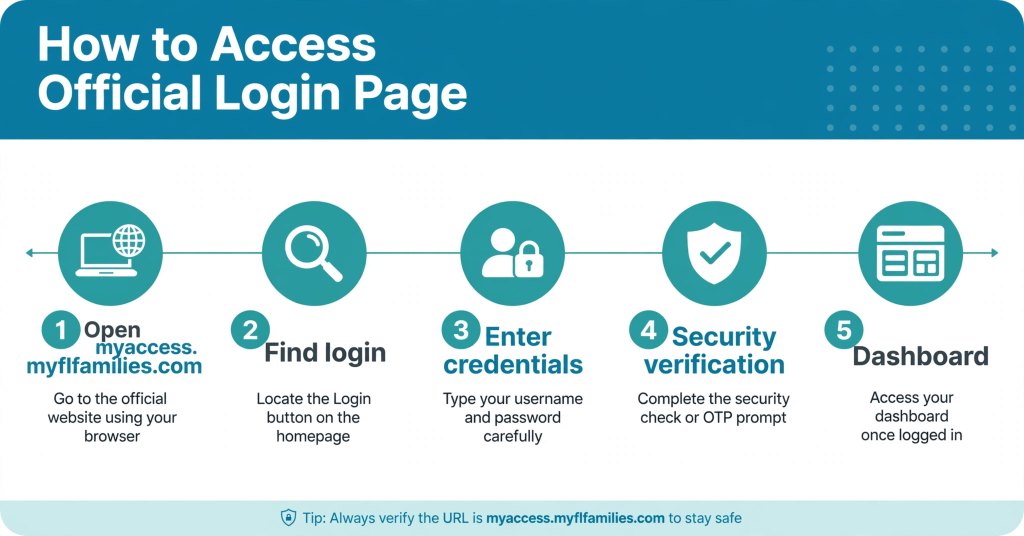
Follow these general steps to sign in:
- Open the official MyACCESS login page.
- Find the login section.
- Enter the credentials requested by the website.
- Complete any security verification if prompted.
- Open your account dashboard and look for your available applications, case details, or notices.
The page also provides options for creating an account and recovering a forgotten password. If you are a new user, follow the current account registration instructions rather than trying to sign in with an account you have not created.
After logging in, take a moment to review any recent messages. An important notice may explain that your application is still being processed or that the agency needs more information.
Important safety tip: Make sure the website address ends in myflfamilies.com before entering personal information. Avoid unofficial websites that request your login details or promise guaranteed benefit approval.
You can also visit the Florida DCF public benefits page to find official information about the available programs.
3. How to Check SNAP Benefits Through My Access Florida Login
SNAP is one of the most common reasons people search for My Access Florida login. The program helps eligible households pay for food, which can provide important support when grocery costs put pressure on a family budget.
If you have already applied for SNAP or receive food assistance, the MyACCESS portal can help you review available case information.
Steps to check SNAP case information
Step 1: Sign in to your account.
Visit the official MyACCESS portal and enter the requested login information.
Step 2: Find your benefits or case information.
Look for the relevant application or case section on your dashboard. The exact layout may change as the website is updated.
Step 3: Review your application status.
Check whether the portal displays an application update, an eligibility decision, or a request for additional documents.
Step 4: Read your notices carefully.
If DCF needs more information, the notice may explain what you must provide and when it is due.
Step 5: Follow up if something is unclear.
If your case appears delayed or the information does not match your records, contact DCF using the official contact details.
Can you check your EBT balance through MyACCESS?
Your SNAP case status and your EBT card balance are two different things.
The MyACCESS portal is designed to help you manage public assistance cases. To check the amount currently available on your EBT card, use the official EBT balance-checking service or the contact information provided with your card.
This distinction matters because an application approval does not necessarily mean your latest benefit deposit has already reached your card.
For additional program information, visit the official Florida DCF website.
4. How to Check Medicaid Benefits Online
Medicaid provides healthcare coverage for eligible people under federal and state program rules. If you have applied for Florida Medicaid, you may want to know whether your application has been processed or whether additional information is required.
The My Access Florida login process can help you reach the relevant case information available through MyACCESS.
Steps to review Medicaid information
- Open the official MyACCESS website.
- Sign in to your account.
- Find the application or case associated with Medicaid.
- Review the available status information and official notices.
- Follow any instructions about verification, renewal, or eligibility.
If your application is pending, check whether the agency has requested documents or other information. Responding to an official request promptly can help avoid unnecessary processing delays.
If your account shows an eligibility decision, read the accompanying notice to understand the outcome and any next steps.
What if your Medicaid information is missing?
Sometimes, people confuse Medicaid eligibility information with health-plan enrollment details. These are not always managed through the same service.
If you need information about your Medicaid case, begin with the official Florida benefits portal. If you need details about your health plan, participating doctors, or coverage, you may need to use another official Florida healthcare service.
If your coverage appears incorrect or you cannot find the information you need, contact the appropriate agency before assuming your benefits have ended.
Remember that having an online account does not guarantee Medicaid eligibility. The state determines eligibility based on the applicable requirements and your individual circumstances.
5. How to Check Florida Cash Assistance Benefits
Florida’s Temporary Cash Assistance program provides financial support to eligible families who meet the program requirements. Assistance may help qualifying households manage essential expenses while working toward greater financial stability.
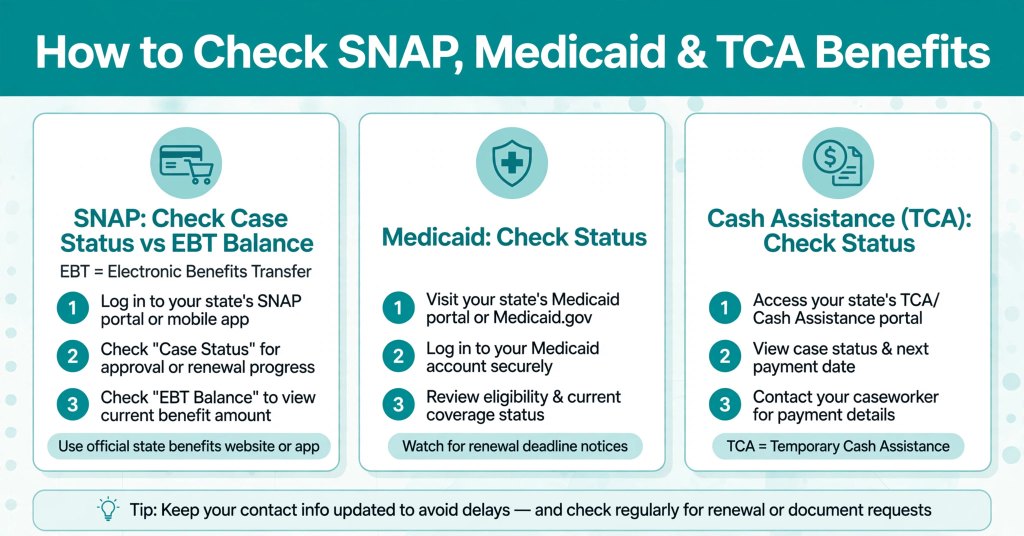
If you have applied for TCA, the MyACCESS portal can help you review the case information and notices available to you.
How to review your cash assistance case
First, sign in through the official My Access Florida login page. Next, locate your cash assistance application or case and review the latest available updates.
Pay attention to notices about eligibility, required documents, and payment information.
If your application has not been approved yet, check whether it is still being reviewed or whether DCF needs more information. If your application has been approved, read the official notice for details about the decision and any applicable payment instructions.
Why might a cash assistance payment be delayed?
Several factors can affect the processing of a case or payment, including:
- The application is still under review.
- Required verification documents have not been received or processed.
- The agency needs additional information.
- The case requires further review.
- A payment is subject to the program’s processing schedule.
These are possible explanations, not a diagnosis of any particular case. The best approach is to check your notices and contact DCF if you cannot determine what is happening.
Do not assume that a delayed payment means your benefits have been cancelled. Confirm the status through official channels before making decisions about your household budget.
6. How to Create a My Access Florida Account
If you do not already have online access, you can follow the registration process on the official MyACCESS website.
Account registration and applying for benefits are related but separate steps. Creating an account does not automatically submit a benefits application.
Follow these general registration steps
1. Visit the official website.
Open https://myaccess.myflfamilies.com/ and locate the account creation option.
2. Choose the account registration option.
Follow the instructions shown on the website for new users.
3. Provide the requested information.
Enter accurate information in the required fields. The website may request identifying or contact details as part of registration and verification.
4. Complete any required verification.
Follow the website’s security instructions. If verification fails, use the official support options instead of repeatedly submitting incorrect information.
5. Secure your account.
Create a strong password and keep your sign-in details private.
6. Access or link your benefits case as instructed.
If you already receive benefits, follow the portal’s current instructions for connecting your existing case to your online account, if necessary.
Once registration is complete, you can use My Access Florida login to access the features available for your account.
If you are unsure how to complete a particular step, Florida DCF provides official guides and instructional videos through its MyACCESS information page.
7. Common My Access Florida Login Problems and Solutions
Login problems can be frustrating, especially when you need to check an important application update or respond to a document request. Fortunately, many common problems can be addressed by following a few basic steps.
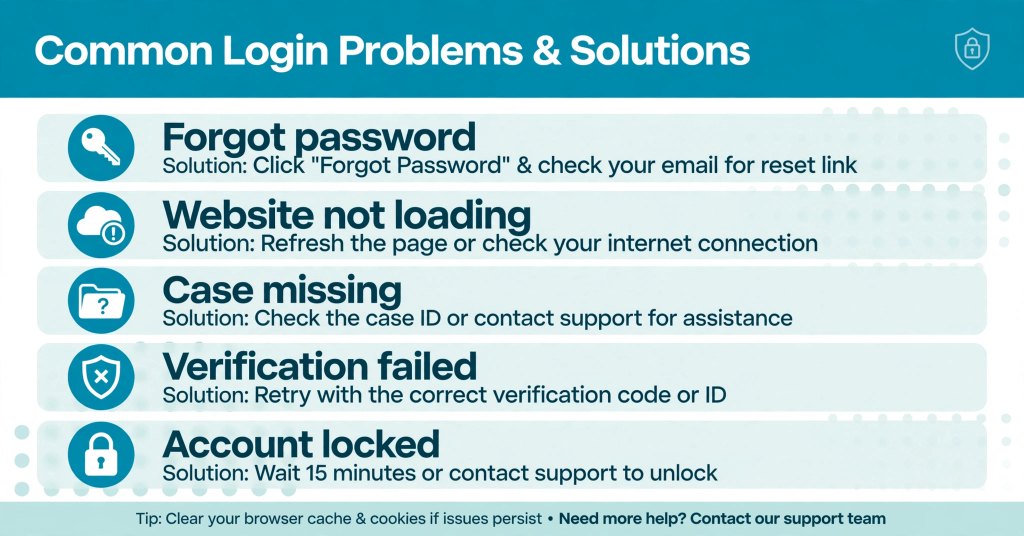
Problem 1: You forgot your password
Open the official login page and select the password recovery option. Follow the instructions displayed by the website.
Do not use password-reset links from suspicious emails or messages. If you receive an unexpected message asking you to provide sensitive information, verify it through the official website first.
Problem 2: You cannot remember your account information
Return to the official portal and review the available account recovery options. Follow the instructions for recovering access to your account.
If you no longer have access to the email address or other information associated with your account, contact official support for guidance.
Problem 3: The website is not loading
A website may fail to load because of a temporary technical issue, an internet connection problem, or a browser-related issue.
Try these basic troubleshooting steps:
- Check your internet connection.
- Refresh the page.
- Open the website in an updated browser.
- Try again after a short wait.
- Check official website notices for planned maintenance.
Avoid assuming that the website is permanently unavailable because it fails to load once.
Problem 4: Your account opens, but your case is missing
Check whether you are using the correct account and whether you have completed the steps required to access or link your existing case.
If the case still does not appear, contact DCF through the official support channels.
Problem 5: You cannot complete verification
Follow the verification instructions displayed on the portal. Make sure the information you provide is accurate.
If the problem continues, request assistance from official support rather than sharing your personal information with an unofficial service.
Solving these issues can help you regain access to My Access Florida login and review the information available for your benefits.
8. How to Check Your Application or Case Status
Checking your case status is important because it helps you understand whether your application is moving forward and whether you need to take action.
After signing in to MyACCESS, look for your application or case details and read the latest notices.
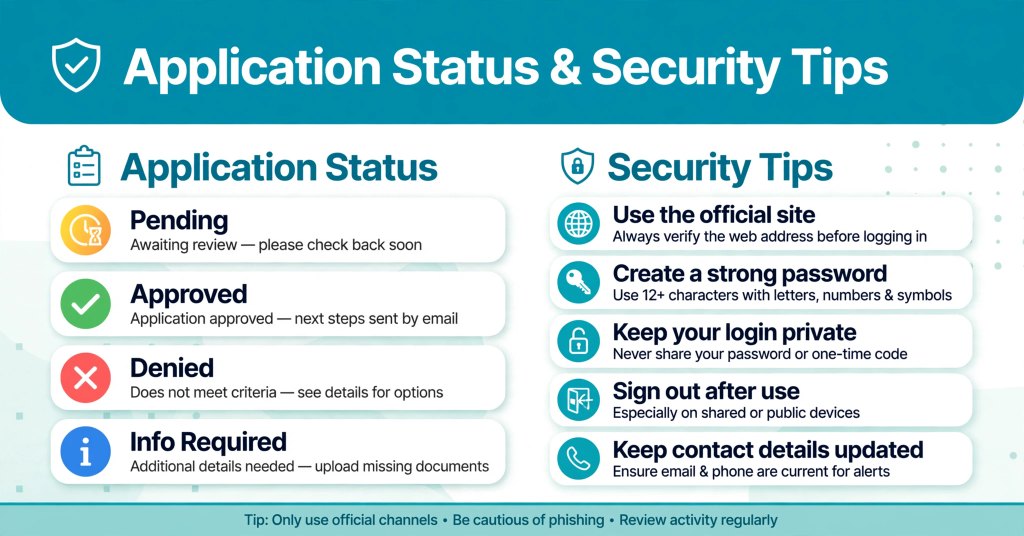
Here are some common status descriptions and what they generally mean.
Pending: Your application or case may still be under review. Check for additional instructions or requests.
Approved: The application has received a favorable decision. Read the official notice to understand the programs, dates, and conditions covered by the decision.
Denied: The agency has determined that the application does not qualify under the applicable rules. Review the notice for the reason and information about any available review or appeal process.
Additional information required: The agency needs more information or documents. Follow the instructions and deadlines in the notice.
Exact status labels may differ depending on the program and the stage of your application.
If you disagree with a decision, do not rely on a general online explanation alone. Read your official notice carefully to understand your options and any deadlines that apply.
9. How to Upload Documents and Report Changes
Some applications require documents to verify information provided by the applicant. The MyACCESS portal offers document-submission features for supported cases.
Depending on your circumstances, the agency may request proof of income, household information, residency details, or other documents relevant to your application.
How to submit documents
- Sign in to your MyACCESS account.
- Open the relevant application or case.
- Review the agency’s request carefully.
- Follow the portal’s document-upload instructions.
- Check for a submission confirmation and keep a copy for your records.
If you cannot find the upload option, consult the official portal’s help resources or contact DCF for guidance.
Florida DCF also provides information about submitting documents through its official public assistance resources.
Why reporting changes matters
Changes in income, household members, contact information, or other circumstances may affect a benefits case.
The reporting requirements depend on the program and your situation. Read your notices to determine what changes must be reported and when.
Keeping your information accurate can help the agency process your case correctly and communicate important decisions to you.
10. How to Protect Your My Access Florida Account
Your MyACCESS account may contain personal information related to your household and benefits. Protecting that information is an important part of managing your account.
Follow these simple security practices:
- Use the official website: Check the address before entering your information.
- Create a strong password: Avoid passwords that are easy to guess.
- Keep login details private: Do not share your password or security codes with strangers.
- Be careful with messages: Avoid suspicious links claiming that you must pay a fee to receive benefits.
- Sign out on shared devices: This is especially important when using a public computer.
- Keep contact information current: Follow the portal’s instructions for updating your details when needed.
Be cautious of websites that imitate government services or promise guaranteed approval in exchange for payment.
If you think someone has accessed your account without permission, use the official recovery and security procedures and contact the agency if necessary.
11. Official My Access Florida Contact and Support
If you cannot sign in, cannot find your application, or need help understanding a notice, use Florida’s official support resources.
The MyACCESS login page lists the Florida DCF Customer Call Center number as 850-300-4323. The page currently lists operating hours as Monday through Friday, 8 a.m. to 5 p.m. It also provides Florida Relay and TTY contact information for people who need those services.
Check the official portal for current contact details and hours before calling, because service information can change.
Before contacting support, it may help to have your relevant case information, application details, and notices available. Do not post sensitive information publicly or share your password with anyone claiming to be a support representative.
You can also find program information and assistance resources on the Florida DCF website.
12. Frequently Asked Questions About My Access Florida Login 2026
How do I log in to My Access Florida in 2026?
Visit the official MyACCESS portal at https://myaccess.myflfamilies.com/public/login. Enter the credentials requested by the website and follow any security instructions.
Is My Access Florida login free?
A: Yes, the official My Access Florida login portal at myaccess.myflfamilies.com is completely free to use
How can I check my SNAP benefits online in Florida?
Sign in to your MyACCESS account and review the available SNAP application or case information. To check your EBT card balance, use the appropriate official EBT service.
Can I check my Medicaid status through My Access Florida?
You may be able to review Medicaid-related application or case information through MyACCESS. Some healthcare coverage and health-plan details may require a separate official service.
How do I check Florida cash assistance status?
Sign in to the official portal, open your available cash assistance case information, and review the latest status updates and notices.
What should I do if My Access Florida login is not working?
Check your internet connection, verify your sign-in information, and use the official password recovery option if needed. If the problem continues, contact Florida DCF support.
Can I create a MyACCESS account without receiving benefits?
Yes. You can create an account through the official portal, subject to its registration requirements. However, creating an account does not mean you have applied for or been approved for benefits.
Can I upload documents through MyACCESS?
The portal supports document submission for relevant applications and cases. Follow the instructions shown in your account or official notice.
Is My Access Florida free to use?
The official government portal is free to access. Be cautious of third-party websites that charge you for basic login instructions or promise guaranteed benefit approval.
What should I do if my application is still pending?
Review your case information and notices for requests or instructions. If you need more information about the processing time or status, contact the agency through its official support channels.
Where can I find the official My Access Florida website?
Use https://myaccess.myflfamilies.com/ to reach the official MyACCESS portal.
Conclusion
“In conclusion, using My Access Florida login regularly helps you stay updated on SNAP, Medicaid, and TCA benefits. Bookmark the official My Access Florida login page and check your notices weekly.”The My Access Florida login portal is an important online resource for Florida residents who want to apply for and manage public assistance benefits. It provides access to available case information for programs such as SNAP, Medicaid, and Temporary Cash Assistance.
By signing in through the official website, reviewing notices, responding to document requests, and keeping your account secure, you can make it easier to manage your benefits.
If you have a login problem or cannot understand your case status, use the official recovery tools and contact Florida DCF when necessary. Always rely on your official notices for decisions about eligibility, payments, and deadlines.
Start here: Official MyACCESS Florida Login
This guide is for general information. Benefit eligibility, processing times, and available account features depend on the applicable program and your individual case.