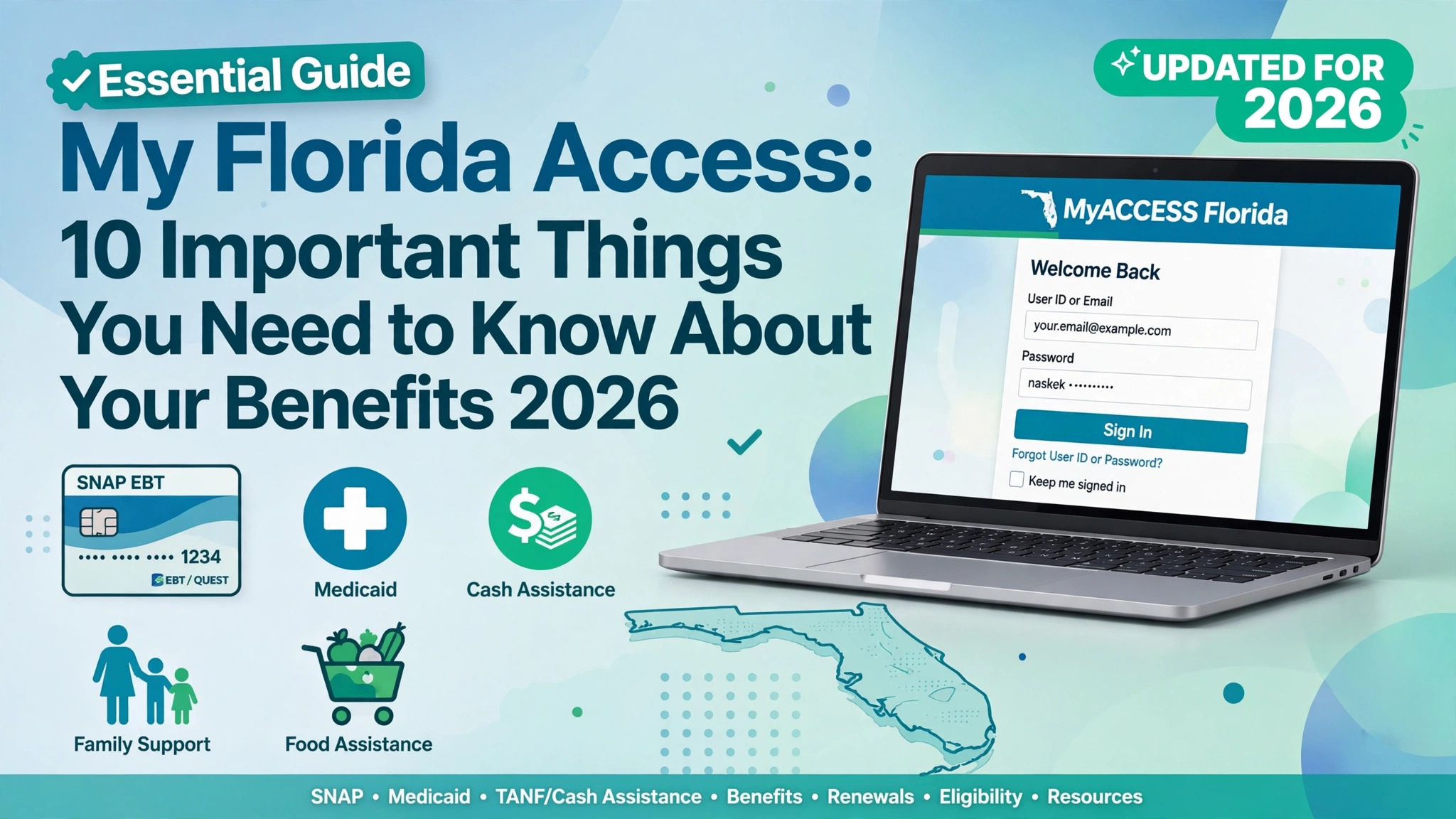
My Florida Access: 10 Important Things You Need to Know About Your Benefits
If you live in Florida and need help with food, healthcare, or other basic expenses, understanding My Florida Access can make it easier to find the services available to you. Many people search online for My Florida Access when they want to apply for benefits, check an application, manage an account, or find information about food assistance.
The official online system is called MyACCESS Florida. It is managed by the Florida Department of Children and Families (DCF) and provides access to several public assistance programs, including food assistance (SNAP), Medicaid, and Temporary Cash Assistance (TCA).
The good news is that you can complete many benefit-related tasks online. However, knowing where to log in, which documents you may need, and how eligibility works can save you time and confusion.
In this guide, we will explain 10 important things about My Florida Access in simple English. Whether you are applying for benefits for the first time or already receive assistance, this article will help you understand the basic process.
1. What Is My Florida Access and How Does It Work?
My Florida Access is a phrase people commonly use when searching for Florida’s public assistance services online. The official portal, MyACCESS Florida, allows eligible residents and applicants to access supported benefit services through the internet.
The main purpose of this system is to make it easier for people to apply for assistance and manage information related to their cases.
Depending on the program and your circumstances, you may be able to use MyACCESS Florida to:
- Start an application for public assistance.
- Review your application status.
- Submit documents requested by the agency.
- Read available notices about your case.
- Complete certain renewal or case-management tasks.
- Find information about available benefit programs.
For example, imagine that a family is having difficulty paying for groceries. The family can visit the official MyACCESS website, review the SNAP food assistance program, and submit an application if they wish to apply.
The agency will then review the application and determine whether the household meets the program’s requirements.
It is important to remember that My Florida Access is an online service, not a guarantee of financial assistance. Every program has its own rules, and submitting an application does not automatically mean you will be approved.
Where to start: Visit the official MyACCESS Florida website. Always check that you are using the genuine government website before entering personal information.
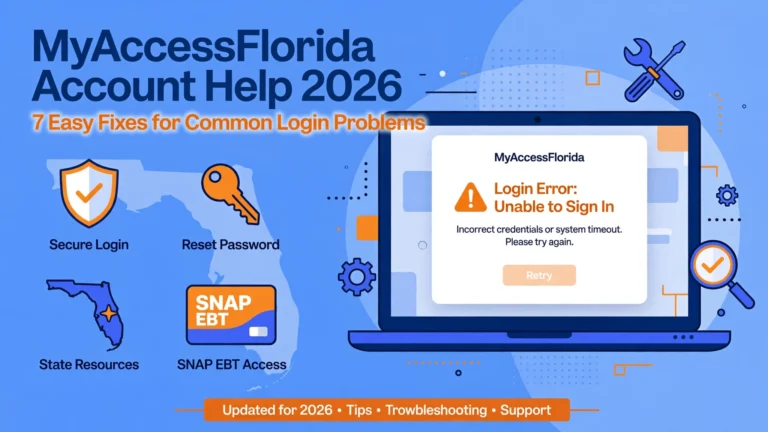
2. How to Log In to Your My Florida Access Account
One of the most common searches related to My Florida Access is how to log in to an existing account.
Your account can help you access supported services and review information about your application or benefits. If you already have an account, you generally do not need to begin a new application simply because you want to check an update.
Follow these steps to access your account:
- Open the official MyACCESS Florida login page.
- Find the login section on the page.
- Enter the account information requested by the website.
- Complete any additional security steps if prompted.
- Once signed in, look for your application details, notices, and other available services.
If you do not have an account, check the official website for instructions on creating one.
The portal also provides a password recovery option for users who cannot remember their login details.
myaccess.myflfamilies.com
What if you cannot log in?
First, check whether you entered the correct username and password. Make sure there are no typing errors and that your internet connection is working.
If you have forgotten your password, use the official recovery option. If the website is temporarily unavailable, try again later rather than using an unfamiliar website that claims to provide access to your benefits.
Keep your password and verification codes private. No one needs your confidential login details simply to explain how the official portal works.
3. How to Apply for Florida Benefits Online
Another important feature of My Florida Access is the ability to start an application for supported public assistance programs.
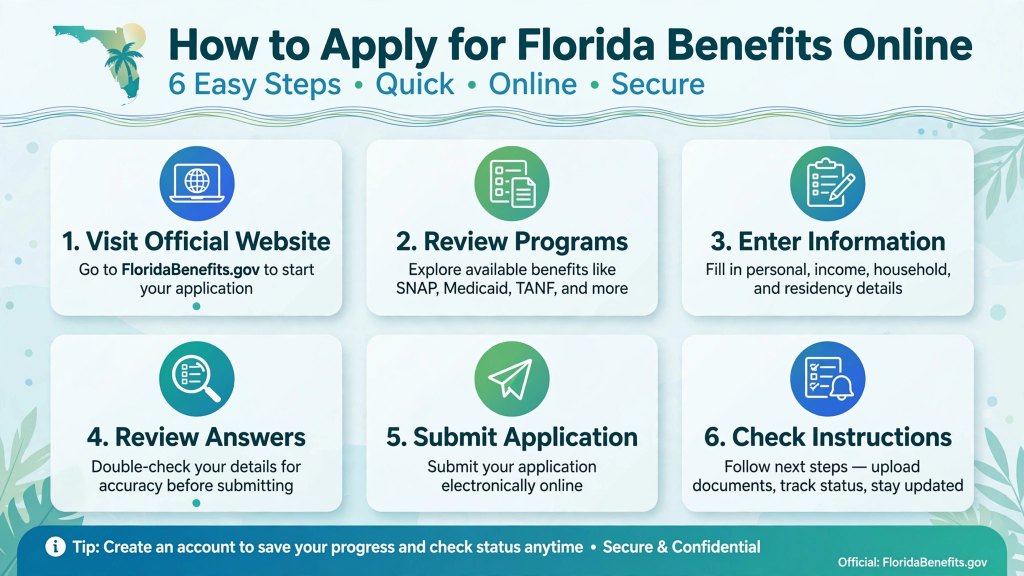
Florida’s MyACCESS portal provides access to programs such as SNAP food assistance, Medicaid, and Temporary Cash Assistance. The application process allows the agency to collect the information needed to assess your circumstances.
Here is a general overview of how to apply.
Step 1: Visit the official website.
Open the MyACCESS Florida portal and select the option to apply for benefits.
Step 2: Review the available programs.
Read the descriptions of the assistance programs and identify which ones may fit your needs.
Step 3: Enter your information.
The application may ask about your household, income, expenses, and other details relevant to the programs you select.
Step 4: Review your answers.
Check your information carefully before submitting the application. Incorrect or incomplete answers may lead to additional questions.
Step 5: Submit your application.
Follow the instructions on the website to complete the submission process.
Step 6: Check for further instructions.
After submitting, monitor your account and any official messages for requests for documents or an interview.
The official application guidance suggests allowing approximately 30–60 minutes to complete an application, although the time required can vary. It also explains that you can save your progress by creating an account and returning later.
MyACCESS
You do not necessarily have to upload every document before submitting an application. The agency will tell you what supporting information is needed for your case.
4. How to Check Your My Florida Access Application Status
After applying for assistance, it is natural to want to know what happens next. Your application may be received, under review, awaiting additional information, or decided, depending on the stage of the process.
The MyACCESS Florida portal provides online access to application status and case information.
Florida DCF
To check your status:
- Visit the official MyACCESS Florida website.
- Sign in to your account.
- Find the available application or case information section.
- Review the status and any messages displayed.
- Read carefully if the agency has requested more information.
- Follow the instructions and deadlines given in any official notice.
For example, suppose you applied for SNAP and the agency needs proof of income. Your application may require additional information before the review can be completed. Providing the requested document through an approved method may help the agency continue processing your case.
However, do not assume that every application will follow exactly the same timeline. Processing can depend on the program, the information provided, and whether further verification is necessary.
What does a pending application mean?
A pending application generally means that a final decision has not yet been made. It does not necessarily mean that your application has been rejected.
If you are unsure about your status, review your account messages and contact the Florida Department of Children and Families if you need clarification.
Checking your My Florida Access account regularly can help you avoid missing an important request or deadline.
5. Understanding Florida SNAP and Food Assistance Benefits
Food assistance is one of the main reasons people search for My Florida Access.
The Supplemental Nutrition Assistance Program, known as SNAP, helps eligible households pay for approved food purchases. Florida administers its food assistance program through the state’s public assistance system.
MyACCESS
SNAP can help households manage their grocery budgets, especially when money is tight. However, the amount of assistance available depends on the household’s circumstances and the program’s rules.
Here are some important things to understand about SNAP:
- Applicants must meet the applicable eligibility requirements.
- Household size and income may affect eligibility and benefit calculations.
- Some allowable expenses may be considered under the relevant rules.
- Approved benefits are generally issued through an Electronic Benefits Transfer (EBT) card.
- SNAP benefits can be used for eligible food purchases at participating retailers.
SNAP is not a general-purpose cash payment. It has rules about which purchases are allowed. Alcoholic beverages and most nonfood household products, for example, are not eligible SNAP purchases.
How does My Florida Access help SNAP applicants?
The MyACCESS portal lets applicants complete supported application tasks, check available case information, and respond to requests from the agency.
Imagine that you have recently lost some income and want to find out whether your household qualifies for food assistance. You can review the official program information and submit an application if appropriate.
The agency will assess your circumstances according to the rules that apply to your case.
Do not rely on a general online estimate as a guarantee of how much you will receive. Your official determination and notices are the best sources of information about your benefits.
6. How to Check Your Florida EBT Balance
If you already receive SNAP benefits, checking your EBT balance can help you plan grocery shopping and understand how much money remains available on your card.
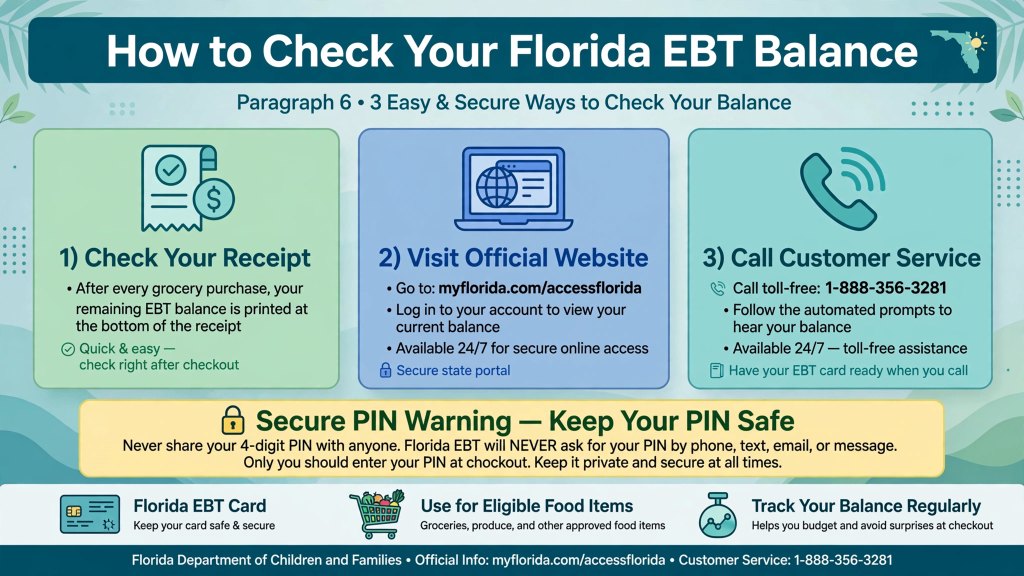
It is useful to understand the difference between My Florida Access and your EBT card services.
MyACCESS Florida is mainly used for benefit applications and case-related services. EBT services are used for card-related tasks, such as checking your balance and reviewing transactions.
You can start with Florida’s official EBT assistance page.
Common ways to check your balance include:
- Checking your latest EBT transaction receipt, if it displays the remaining balance.
- Using the official EBT cardholder website.
- Following the instructions provided with your EBT card.
- Contacting the official EBT customer service number if you need assistance.
Florida’s official EBT assistance page lists 1-888-356-3281 as its EBT customer number. Check the official page for current instructions and services.
Florida Department of Children and Families
What if your EBT balance seems incorrect?
Review your recent transactions first. Make sure you recognize the purchases and that you are checking the correct card.
If you see a transaction you do not recognize, or believe your benefits have been used without permission, contact the official EBT cardholder service promptly and follow its instructions.
Never share your PIN with strangers. Be cautious of text messages or social media posts promising to increase your benefits or release a payment in exchange for your card information.
Remember: Your My Florida Access account information and your available EBT balance are different things. Use the appropriate official service for the information you need.
7. Who Qualifies for My Florida Access Benefits?
Many people want to know whether they qualify for assistance before completing an application.
The answer depends on which program you are interested in. SNAP, Medicaid, Temporary Cash Assistance, and other programs do not all have the same eligibility rules.
For example, SNAP eligibility may depend on factors such as:
Household size: The number of people in your household and how program rules define the household.
Income: Your household income and the applicable income rules.
Expenses: Certain expenses may be considered when determining eligibility or calculating benefits.
Residency: You may need to meet the applicable Florida residency requirements.
Other circumstances: Specific rules may apply based on your situation, including certain household or work-related circumstances.
These are general examples, not a complete eligibility test. The requirements can differ according to the program and individual circumstances.
Medicaid, for instance, has separate eligibility criteria for health coverage. Temporary Cash Assistance also has its own requirements. You should not assume that qualifying for one program automatically qualifies you for another.
MyACCESS
How can you find out whether you may qualify?
Use the official MyACCESS Florida website to review program descriptions and available eligibility tools.
You can also submit an application for the relevant program. The agency will evaluate your information and make a decision based on the applicable rules.
Do not automatically rule yourself out because you have a job or receive some income. At the same time, do not assume that having a low income guarantees approval.
Providing accurate information is the best way to help the agency assess your circumstances.
8. What Documents May Be Needed for a My Florida Access Application?
Preparing your information before starting an application can make the process easier.
The documents requested will depend on your circumstances and the program you are applying for. You do not necessarily need every document listed below.
Common examples include:
- Identification, such as a driver’s license or state ID, when requested.
- Recent pay statements or other proof of income.
- Information about household members.
- Records of certain expenses, such as childcare or medical costs, when relevant.
- Other documents specifically requested by the agency.
Florida’s official application guidance identifies proof of identity, income, and certain expenses as examples of documents that applicants may need to provide. It also explains that applicants can submit their application first and provide requested documents later.
MyACCESS
How should you submit documents?
Follow the instructions in your MyACCESS account or official notice. If online uploading is available for your request, make sure your files are readable and meet the stated requirements.
Keep copies of important documents and any confirmation you receive after submitting them.
If you cannot provide a requested document, do not ignore the request. Contact the agency to ask whether another form of verification is acceptable.
Having the right documents ready can reduce confusion and help you respond more efficiently to requests during the review process.
9. Common My Florida Access Problems and How to Fix Them
Sometimes users experience problems while trying to access their accounts or manage their benefits online.
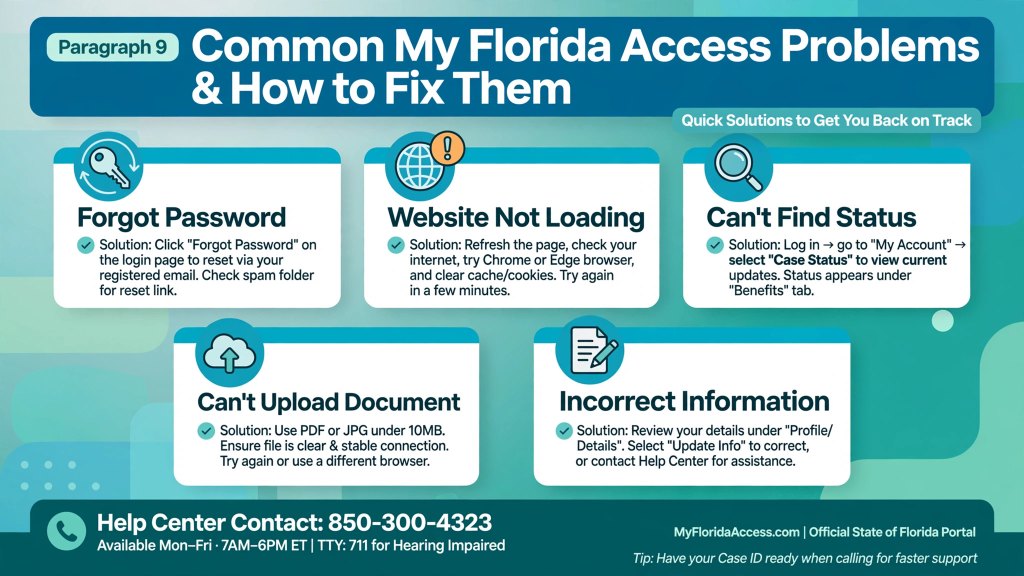
Fortunately, many basic problems can be addressed by following the official website’s instructions.
Problem 1: You forgot your password
Visit the official login page and select the password recovery option. Follow the instructions provided to regain access to your account.
Problem 2: The website is not loading
Check your internet connection and refresh the page. You can also try another browser or return later if the website is temporarily unavailable.
Problem 3: You cannot find your application status
Confirm that you are signed in to the correct account. Review the available application and case information, and check whether the agency has sent a notice.
If you still cannot find the information, contact the official support service.
Problem 4: You cannot upload a document
Check the file type, size, and other requirements displayed by the portal. Try uploading a clear copy of the document again.
If the problem continues, ask the agency about an approved alternative submission method.
Problem 5: Your personal information is incorrect
Review the account information and follow the portal’s instructions for making corrections. If the information cannot be changed online, contact the agency for guidance.
Where can you get official help?
The MyACCESS Help Center provides information about applications, program rules, documents, interviews, and other common questions.
You can visit the official MyACCESS Help Center.
The portal lists the Florida DCF Customer Call Center at 850-300-4323, Monday through Friday, from 8 a.m. to 5 p.m. It also lists Florida Relay at 711 or TTY at 1-800-955-8771. Check the official Help Center for the latest contact information.
MyACCESS
10. How to Keep Your My Florida Access Benefits Active
Getting approved for benefits is important, but you may also need to take certain steps to maintain your eligibility.
The exact requirements depend on the program and your circumstances. That is why you should read official notices rather than relying on general information from social media or other websites.
Here are some useful habits.
Respond to official notices
Check your account for messages and requests for additional information. If the agency gives you a deadline, make a note of it and respond as instructed.
Complete renewals when required
Some benefits require periodic reviews or renewals. Check your notices to understand when you need to complete the process.
Report changes when required
Changes in household circumstances, income, or other information may need to be reported under the rules for your program.
Do not assume that every change must be reported in the same way or on the same schedule. Follow the specific instructions that apply to your case.
Keep your contact information updated
Make sure the agency can reach you using the contact details on file. Updated information can help you receive important notices and requests.
Keep records of your submissions
Save confirmation messages and keep copies of documents you submit. These records may be useful if you later need to ask about an application or document.
Protect your account
Use secure login details and avoid suspicious links that ask for your personal information. Only use official websites and approved services to manage your benefits.
By checking your My Florida Access account regularly and responding to official requests, you can stay informed about your case and avoid missing important steps.
Frequently Asked Questions About My Florida Access
What is My Florida Access?
My Florida Access is a common search term for Florida’s public assistance services. The official portal is called MyACCESS Florida and provides online access to supported benefit applications and case-management services.
How do I log in to My Florida Access?
Visit the official MyACCESS Florida login page. Enter your account credentials and follow any additional instructions. Use the official recovery process if you forget your password.
Can I apply for Florida food assistance online?
Yes. Florida residents can apply for SNAP food assistance through the official MyACCESS portal. Eligibility depends on the program’s requirements and the agency’s review.
How do I check my Florida benefits status?
Sign in to your MyACCESS account and review your available application or case information. Check for official notices and requests for additional documents.
How can I check my Florida EBT balance?
Use Florida’s official EBT cardholder services, review an eligible transaction receipt, or contact the official EBT customer service number.
Does applying through My Florida Access guarantee approval?
No. Submitting an application does not guarantee benefits. The agency reviews your information and determines whether you meet the applicable eligibility requirements.
What should I do if My Florida Access is not working?
Check your internet connection, review your login information, and try again. If the issue continues, consult the official MyACCESS Help Center or contact Florida DCF.
Can I use My Florida Access on my phone?
You can access the online portal using an internet-connected mobile device. The available features may depend on the website and your device.
Is there a fee to apply for Florida benefits?
Florida DCF states that applying for public assistance through its official online services is free. Be cautious of third-party services that charge you simply to submit a government benefits application.
Florida DCF
Final Thoughts
Understanding My Florida Access can make it easier to navigate Florida’s public assistance system. Whether you want to apply for SNAP, learn about Medicaid, review an application, or find information about your EBT card, starting with the correct official service is important.
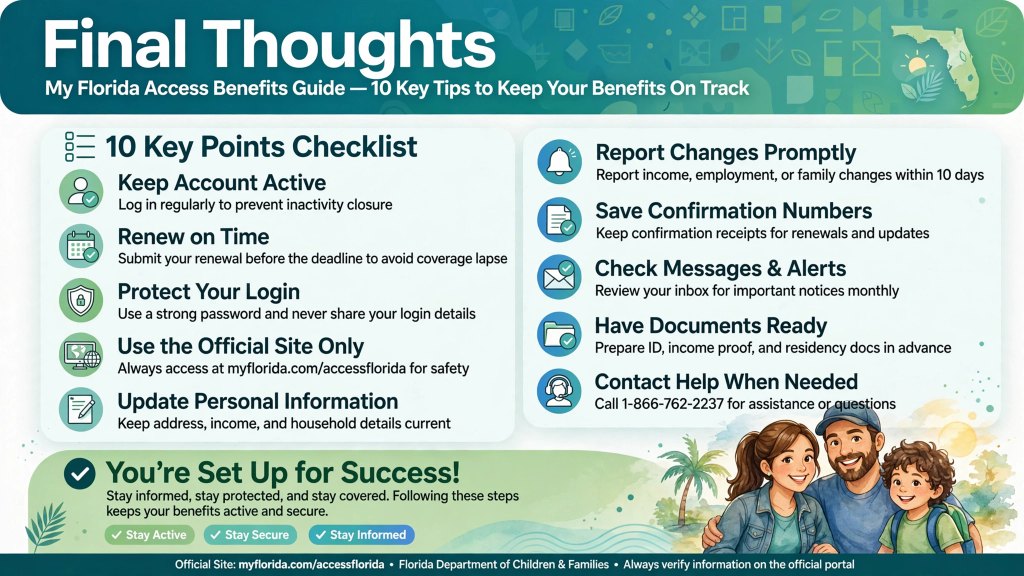
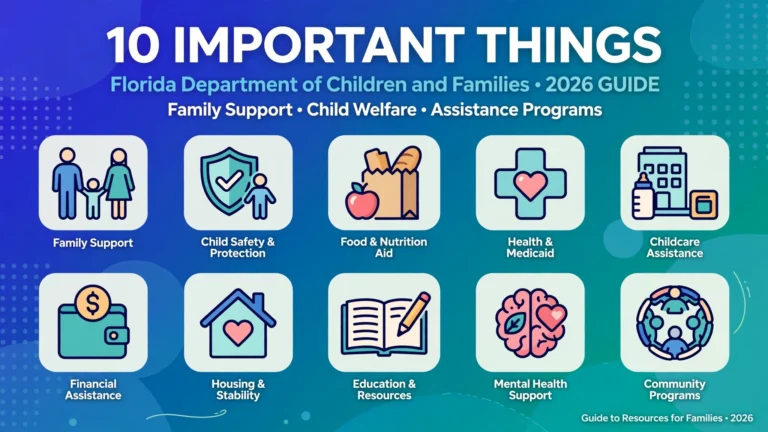
Remember these 10 key points: learn how the portal works, use the official login page, provide accurate application information, check your status, understand food assistance, use official EBT resources, review eligibility requirements, prepare requested documents, troubleshoot problems carefully, and follow the instructions for maintaining your benefits.
You do not need to understand every program rule before getting started. Begin by reviewing the official information for the program that interests you, and follow the instructions provided for your particular circumstances.
For reliable information, visit the official MyACCESS Florida portal and the Florida Department of Children and Families website.