Access FL Login 2026: A Simple Guide to Checking Your Benefits with Confidence
If you live in Florida and need help managing your government benefits, the Access FL Login process is an important place to start. The online benefits system helps people access information about programs such as SNAP food assistance, Medicaid, and Temporary Cash Assistance. Whether you are applying for benefits for the first time or already receive assistance, knowing how to use your online account can make everyday tasks easier.
Many people search for Access FL Login because they want to check their application status, review benefit information, upload documents, or find out whether they need to take additional steps. Fortunately, Florida provides an official online portal called MyACCESS where users can apply for and manage public assistance information.
In this guide, you will learn how to sign in, check your benefits, create an account, recover your password, and solve common login problems. We will also explain how to protect your personal information and where to find official help when you need it.
What Is Access FL Login?
Access FL Login is a commonly used search term for signing in to Florida’s online public assistance system. The official service is called MyACCESS Florida and is managed by the Florida Department of Children and Families (DCF).
The portal provides an online way for Floridians to access information about government assistance programs. Instead of relying only on phone calls or office visits, users can complete several account-related tasks online.
Depending on your account and case, you may be able to:
- Check the status of a submitted application.
- Review information about your existing benefits.
- View official notices and requests for additional documents.
- Submit documents requested by the department.
- Review renewal information and deadlines.
- Report certain changes related to your case.
- Access information about available assistance programs.
The portal supports programs such as the Supplemental Nutrition Assistance Program (SNAP), Medicaid, and Temporary Cash Assistance (TCA).
Keep in mind that creating an account does not automatically qualify you for benefits. Each program has its own eligibility rules, and the appropriate agency determines whether an applicant qualifies.
You can access the official service here: MyACCESS Florida Login.
How to Complete Access FL Login in 2026
Logging in is generally straightforward when you have an account and the correct sign-in information. Follow these steps to get started.
Step 1: Visit the Official MyACCESS Website
Open your web browser and visit the official MyACCESS Florida website:
https://myaccess.myflfamilies.com
Check the website address before entering personal information. Using the official portal helps you avoid unofficial websites that may display outdated instructions or request unnecessary information.
You can bookmark the official page in your browser so you can find it more easily the next time you need to check your benefits.
Step 2: Choose the Login Option
On the official website, look for the option to log in to an existing account. If you have already registered, follow the instructions displayed on the sign-in page.
If you have never created an account, you may need to select the account creation option first. The registration process is different from signing in to an existing account.
Step 3: Enter Your Account Information
Enter the information requested by the current login page. Make sure you follow the displayed instructions carefully.
If your login attempt fails, check for typing mistakes or spaces entered accidentally. If you use a password manager, confirm that it has saved the correct credentials for the official website.
Avoid repeatedly guessing your password. If you cannot remember it, use the official password recovery option.
Step 4: Complete Any Required Verification
The website may ask you to complete additional security or identity verification steps. Follow the instructions shown on the screen.
If you receive a verification message, make sure you are using the correct account and an appropriate recovery method. Never share passwords or security codes with strangers who claim they can help you access your benefits.
Step 5: Review Your Account Dashboard
After signing in, look for the sections related to your application, case information, benefits, notices, or document requests.
The exact information displayed will depend on your account and current case status.
Take a few moments to review any new notices. If the department requests additional information, follow the instructions and submit the required documents by the stated deadline.
Following these steps can make the Access FL Login process easier and help you stay informed about your benefits.
How to Check Your Florida Benefits Online
One of the main reasons people use Access FL Login is to review their benefits and application information. Once you have accessed your account, look for the relevant case or program details.
Checking SNAP Food Assistance
SNAP is a government program that helps eligible households pay for food. People often refer to it as food assistance or food stamps.
Through the MyACCESS portal, users can review available information related to their SNAP application or case. Depending on their circumstances, they may also see notices, requests for verification, or other information about their benefits.
If you recently submitted an application, check for updates and read any requests for additional documents carefully.
Remember that your online account does not guarantee a particular benefit amount or payment date. The amount of assistance and eligibility depend on your household circumstances and applicable program rules.
For additional information, visit the official Florida Department of Children and Families website.
Checking Medicaid Information
Medicaid provides health coverage to eligible individuals and families who meet the program requirements.
If you are applying for Medicaid or already receive coverage, your MyACCESS account may provide information about your application or case. You may also receive notices explaining whether further action is needed.
For questions about coverage, enrollment, or health plan details, consult the appropriate official Florida Medicaid resources. Do not assume that a general account status automatically confirms that your coverage is active.
Checking Temporary Cash Assistance
Florida’s Temporary Cash Assistance program provides financial assistance to eligible families who meet program requirements.
If you have applied for this program, use your account to review available application information and official notices. If you already receive assistance, check for updates or requests related to your case.
Read all instructions carefully, particularly when the department requests additional information or explains a deadline.
Checking Your Application Status
If you recently applied for government assistance, you may want to know whether your application has been received or requires further action.
Sign in to MyACCESS and look for the application or case status section. Review any messages that explain what happens next.
Processing times can vary depending on the program and individual circumstances. An application that is still being reviewed has not necessarily been denied.
If your status is unclear or has not changed for some time, contact the official customer service center for guidance.
What to Do If You Forget Your Access FL Login Password
Forgetting a password can be frustrating, especially when you need to check an important notice. The good news is that the official MyACCESS login page provides a password recovery option.
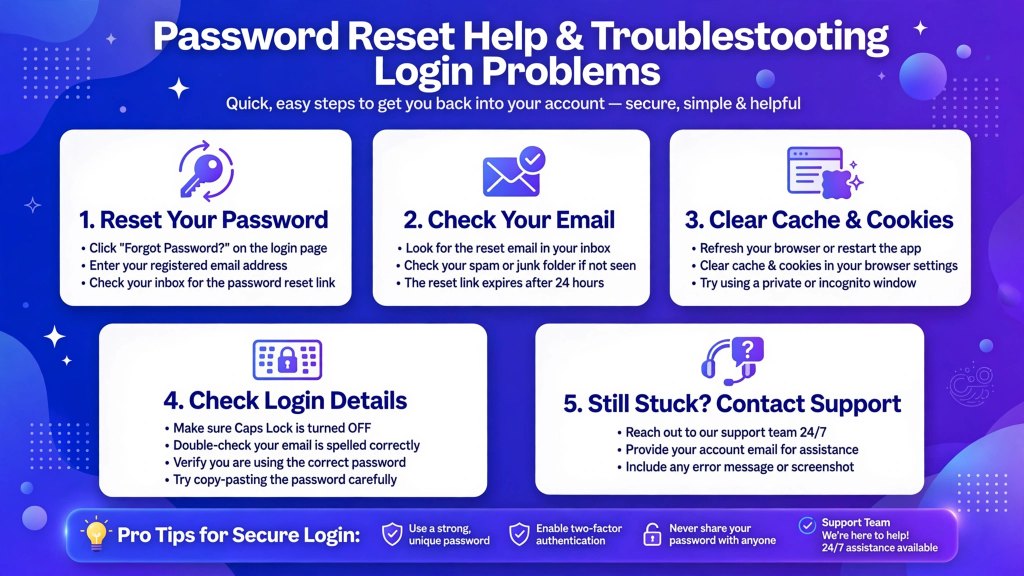
Here is how to approach the problem.
- Open the official MyACCESS login page.
- Select the Forgot Your Password option.
- Follow the instructions displayed on the website.
- Complete any required verification steps.
- Follow the instructions to regain access and create a new password if prompted.
The exact recovery steps may change, so rely on the current instructions provided by the official portal.
When creating a new password, choose something difficult to guess. Avoid using easily discovered information such as your birthday or a simple sequence of numbers.
If you cannot complete the recovery process, contact the official MyACCESS customer service center. Do not pay an unknown person who promises to unlock your account or guarantee your benefits.
Common Access FL Login Problems and Their Solutions
Sometimes, the Access FL Login process does not work as expected. Before becoming worried, check the following common problems and possible solutions.
Incorrect Username or Password
A small typing mistake can prevent you from signing in.
Check your login information carefully. Make sure you are using the correct account credentials and that your keyboard settings have not changed.
If you still cannot sign in, use the official recovery options rather than repeatedly guessing your password.
Account Access or Verification Problems
You may encounter additional security checks or have difficulty completing account verification.
Follow the instructions displayed on the official website. If the problem continues, contact customer support to ask what steps are available for your situation.
Never share your login credentials with someone who contacts you unexpectedly.
MyACCESS Website Is Not Loading
If the website does not open, first check your internet connection.
You can also try refreshing the page, opening the website in an updated browser, or trying again after some time. If the portal displays a maintenance notice, follow the information provided by the department.
Avoid entering your personal information on a different website simply because the official portal is temporarily unavailable.
Access FL Login Is Not Working on a Phone
You can try accessing MyACCESS using a compatible mobile browser.
If the page does not work correctly, update your browser, check your internet connection, and try opening the official website again.
If you have access to a computer, you can also try signing in from that device. Always sign out if you use a shared or public computer.
You Cannot Find Your Application or Case Information
Sometimes users can sign in but cannot immediately find the information they need.
Review the available account sections and notices. If you previously had an account or an existing benefits case, follow the official instructions for linking your case to your MyACCESS account, if required.
If your information still does not appear, contact the department for assistance rather than creating multiple accounts without guidance.
How to Create a MyACCESS Florida Account
If you are new to the system, you may need to create an account before managing your benefits online.
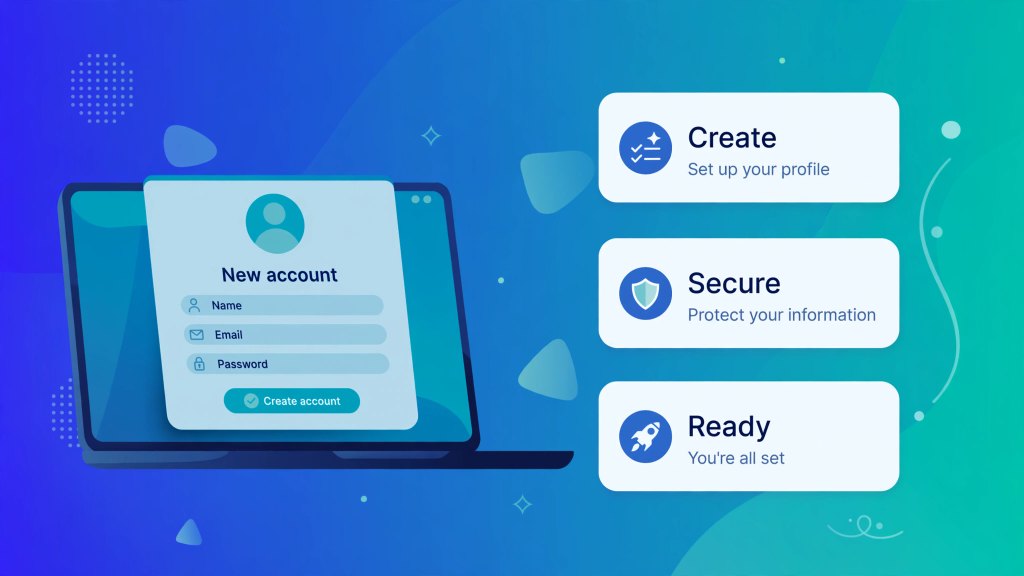
Start by visiting the official MyACCESS website and selecting the option to create a new account.
Follow the registration instructions and provide the information requested. Make sure the information is accurate, because errors may create problems when accessing or linking your case.
Once your account has been created, follow the website’s instructions to access your account and connect your existing benefits case if necessary.
It is important to understand the difference between creating an account and applying for benefits.
Creating an account is not the same as submitting an application. If you want to apply for SNAP, Medicaid, or Temporary Cash Assistance, follow the appropriate application instructions after setting up your account.
Likewise, registering online does not mean you will automatically receive assistance. Eligibility is determined according to the rules of the program for which you apply.
If you need help with registration, the official website provides help resources and instructional materials.
How to Keep Your Access FL Account Safe
Your MyACCESS account may contain sensitive information about your household and government assistance. Keeping it secure is an important part of managing your benefits.
Use a Strong Password
Create a password that is difficult for other people to guess. Avoid using the same password for multiple accounts.
If you use a password manager, make sure it stores the correct login details for the official website.
Protect Your Personal Information
Never share your password or verification codes with strangers. Be cautious if someone contacts you and asks for personal information in exchange for faster approval or guaranteed benefits.
Government benefit decisions depend on official program rules, not on payments to unknown individuals.
Check the Website Address
Before entering your credentials, verify that you are on the official MyACCESS website.
Be careful with links received through unexpected emails, text messages, or social media posts. When in doubt, open your browser and enter the official website address yourself.
If you use a computer at a library or another shared location, sign out when you finish. Avoid saving your password on a device that other people can access.
Review Notices and Deadlines
Check your account regularly for important notices. Respond to legitimate requests for information and follow any deadlines provided by the department.
These simple habits can help protect your account and make managing benefits online a more confident experience.
What Information Can You Find After Access FL Login?
The information available after you sign in depends on your account, program, and case status. However, MyACCESS provides access to several useful types of information.
Application status: You may be able to review updates about an application you have submitted.
Case information: Your account may display information related to your existing assistance case.
Official notices: You can look for messages about decisions, requests for additional details, or other case updates.
Document requests: If the department needs supporting documents, your account may explain what is required and how to submit it.
Renewal information: Depending on your case, you may find information about upcoming renewals or other actions that need attention.
Case updates: The portal may provide options for reporting certain changes or updating relevant information.
Not every feature will be available to every user. If something is missing or unclear, follow the instructions on the website or contact official support.
It is also a good idea to keep copies of important notices and documents for your personal records.
Access FL Login on Mobile Devices
Many people prefer to manage their accounts on a smartphone because it is convenient and easy to use throughout the day.
The MyACCESS system is designed to work across different devices, including compatible mobile phones and tablets.
To get started, open your browser and visit the official MyACCESS website. Follow the login instructions and review your account information.
A few simple tips can improve your experience:
- Use a stable internet connection.
- Keep your browser updated.
- Make sure the screen displays the official website address.
- Avoid accessing your account through unfamiliar links.
- Sign out after using a shared device.
- Keep important account information private.
If a page does not display correctly, try refreshing it or using another compatible browser.
You do not need to use an unofficial website simply because you are accessing your account from a mobile phone.
When Should You Contact MyACCESS Customer Support?
Although many tasks can be completed online, there may be times when you need direct assistance.
For example, you may need help if you cannot recover your password, cannot access your account, cannot find your case information, or do not understand an official notice.
The official MyACCESS portal lists the following customer service details:
Phone: 850-300-4323
Regular service hours: Monday through Friday, 8:00 a.m. to 5:00 p.m.
Florida Relay: 711
TTY: 1-800-955-8771
Check the official website for the latest contact information and service hours before calling.
When contacting support, explain the problem clearly and follow any identity verification instructions provided through official channels. Never include your password in an email or share it with someone who claims to be a customer service representative.
For general program information and official resources, visit the Florida Department of Children and Families.
Frequently Asked Questions About Access FL Login 2026
1. What Is the Official Access FL Login Website?
The official MyACCESS Florida login page is:
https://myaccess.myflfamilies.com/public/login
Always check the web address before entering personal information.
2. Can I Check My SNAP Benefits Online?
Yes. You can sign in to the official MyACCESS portal to review the SNAP-related application and case information available to your account. Follow any instructions provided for your specific case.
3. What Should I Do If I Cannot Log In?
Check your login details, review any error messages, and use the official password recovery option if necessary. If the issue continues, contact the MyACCESS customer service center.
4. Can I Use Access FL Login on My Phone?
Yes. You can access the official portal through a compatible mobile browser. Make sure you use the correct website and keep your browser updated.
5. Does Creating an Account Mean I Will Receive Benefits?
No. Creating an account allows you to access online services, but it does not guarantee approval. Each assistance program has its own eligibility requirements.
6. Can I Apply for Benefits Through MyACCESS?
Yes. The official MyACCESS portal provides online application options for programs such as SNAP, Medicaid, and Temporary Cash Assistance. Follow the instructions for the program you need.
7. How Can I Reset My Access FL Login Password?
Visit the official login page and select the password recovery option. Complete the instructions displayed on the website to regain access.
8. Is Access FL Login Free?
Using the official government portal to sign in does not require paying an outside service simply to access your account. Be cautious of third-party websites that charge unnecessary fees or promise guaranteed approval.
9. What If My Benefits Information Does Not Appear?
Review your account carefully and follow the instructions for linking an existing case if necessary. If your information remains unavailable, contact official support for guidance.
10. How Often Should I Check My MyACCESS Account?
Check your account whenever you need an update and regularly enough to avoid missing important notices or deadlines. If you are waiting for an application decision, follow the instructions provided by the department.
Final Thoughts: Manage Your Florida Benefits with Confidence
Using Access FL Login in 2026 can help you stay informed about your Florida public assistance account. Whether you need to check an application, review SNAP information, manage Medicaid-related details, or look for a cash assistance update, the official MyACCESS portal provides a convenient starting point.
The most important steps are simple: use the official website, enter your login information carefully, review your account notices, and follow any instructions provided for your case.
If you forget your password or encounter a technical problem, use the official recovery process or contact customer support. Protect your personal information, avoid suspicious websites, and never trust promises of guaranteed benefits from unofficial sources.
You do not need to understand every part of the system at once. Start with the task you need to complete, follow the official instructions, and keep track of any important deadlines.
Informational Disclaimer: floridasnap.com is an independent informational blog. We are not affiliated with the Florida Department of Children and Families or MyACCESS Florida. This guide is for educational purposes only. For official services, please visit: myaccess.myflfamilies.com